What’s new in mailCMS

We build mailCMS around the teams who use it, and we’re always adding to it. If you ask for a feature, there’s a good chance you’ll find it here. Here’s what’s new, newest first.

A new look, and a few new tricks

If you log in today, you’ll notice things are looking a bit different.

We’ve treated the app UI to a complete rebuild, and while we’re rather proud of how it’s looking, the really exciting changes go beyond cosmetics.

New

Create with AI is here

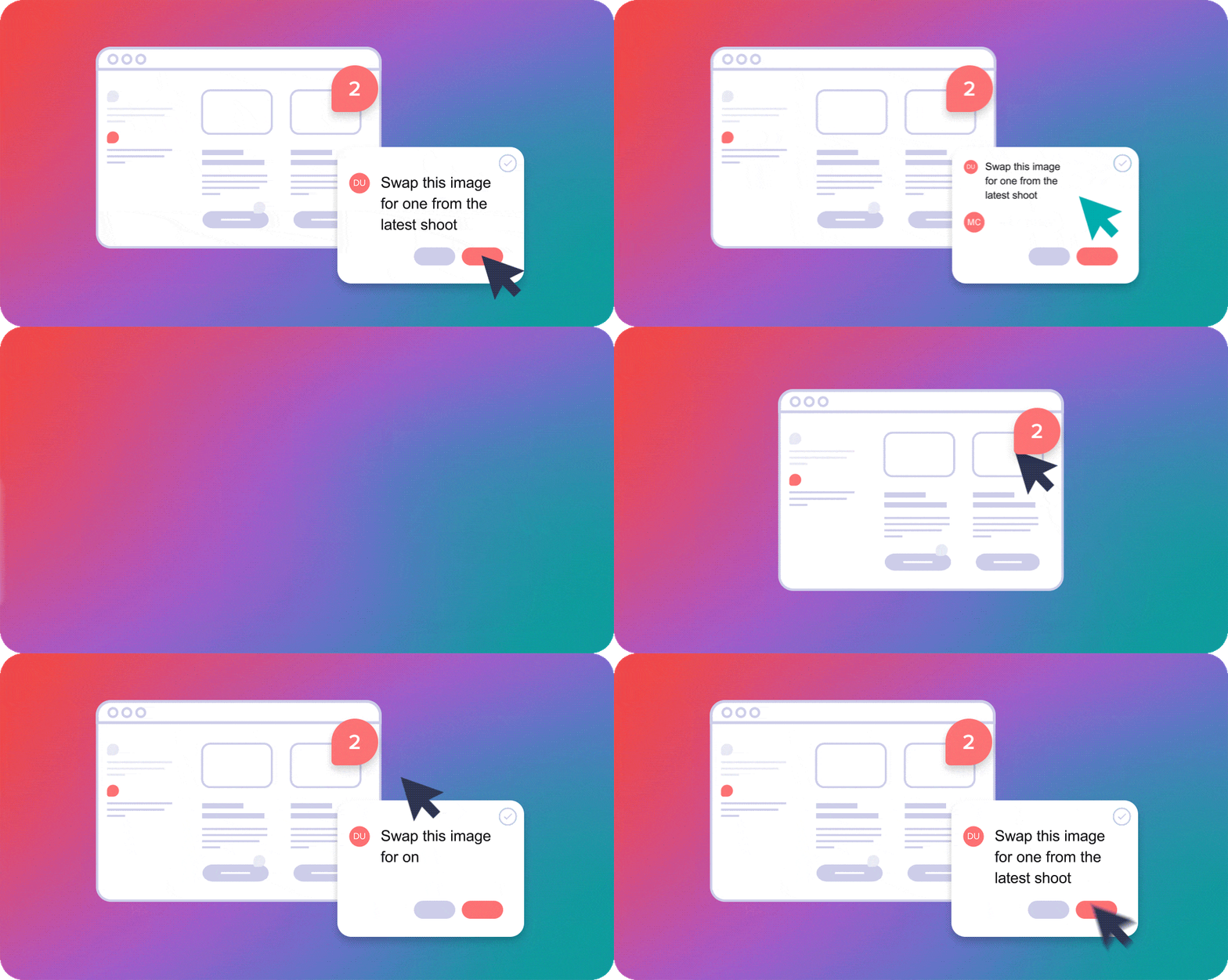
Write a few lines about your campaign, choose Create with AI, and mailCMS will build you a first draft using your own modules and Gallery images. It never strays from your brand rules, only uses your approved assets, and can get you from a blank slate to a fully editable v1 in minutes.

What it can do

  • Draft a whole campaign from a short brief, including subject line and pre-header
  • Swap a module for a different one whilst preserving the content
  • Automatically generate alt text for images
  • Summarise its output in plain language

We’ve funded your account with usage tokens to enable you to give it a try and see whether it fits with the way you work. If it earns its place, we’ll build it into your subscription.

New

Hello, Studio

Studio is our answer to a problem we’ve seen time and again: CRM teams are dependent on designers for simple artworking tasks that, frankly, shouldn’t require a specialist designer.

Studio is our image editor built specifically for CRM and marketing teams, that allows you to create professional, impactful image assets (think hero images, offer banners and hotspot pop-ups: anything with creative demands that can’t be achieved with HTML) from carefully built brand master templates. The result is totally brand-safe, in-house image production as part of your mailCMS workflow, without the design queue.
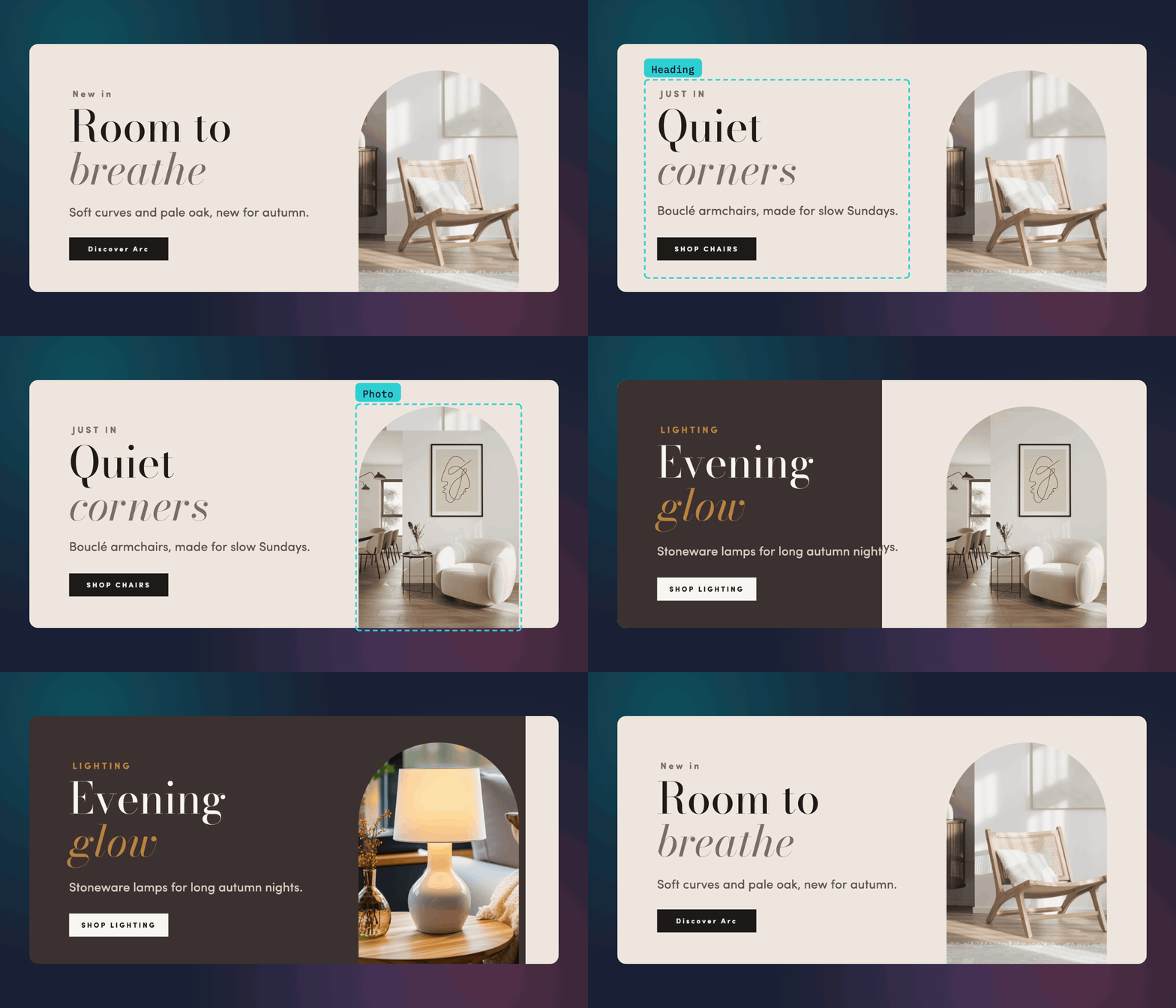
Three Noma banners made from one Studio template: the words change, then the photo, then the whole design

Studio has been available as a public beta outside of mailCMS for a short while and it’s fair to say that it’s gone down rather well…

The time saved is unbelievable. There’s no more raising a ticket, waiting, re-explaining the brief, and then receiving sub-standard creative. Instead, we have templates built around our specific needs, and I can get on with it myself.

Leigh, CRM Manager, Le Boat

Whilst Studio is available in your account right now, we’ll need to configure your design templates for you. Get in touch and we’ll book a quick call to get started.

You can find out more by taking a look at the Studio website.

Improved

Improved proofing and approval

You can now let the right people know when a proof is ready or a comment needs answering, without hopping over to email or Slack. Reviewers can also mark proofs as Approved, and if anyone edits the email afterwards, mailCMS flags it.
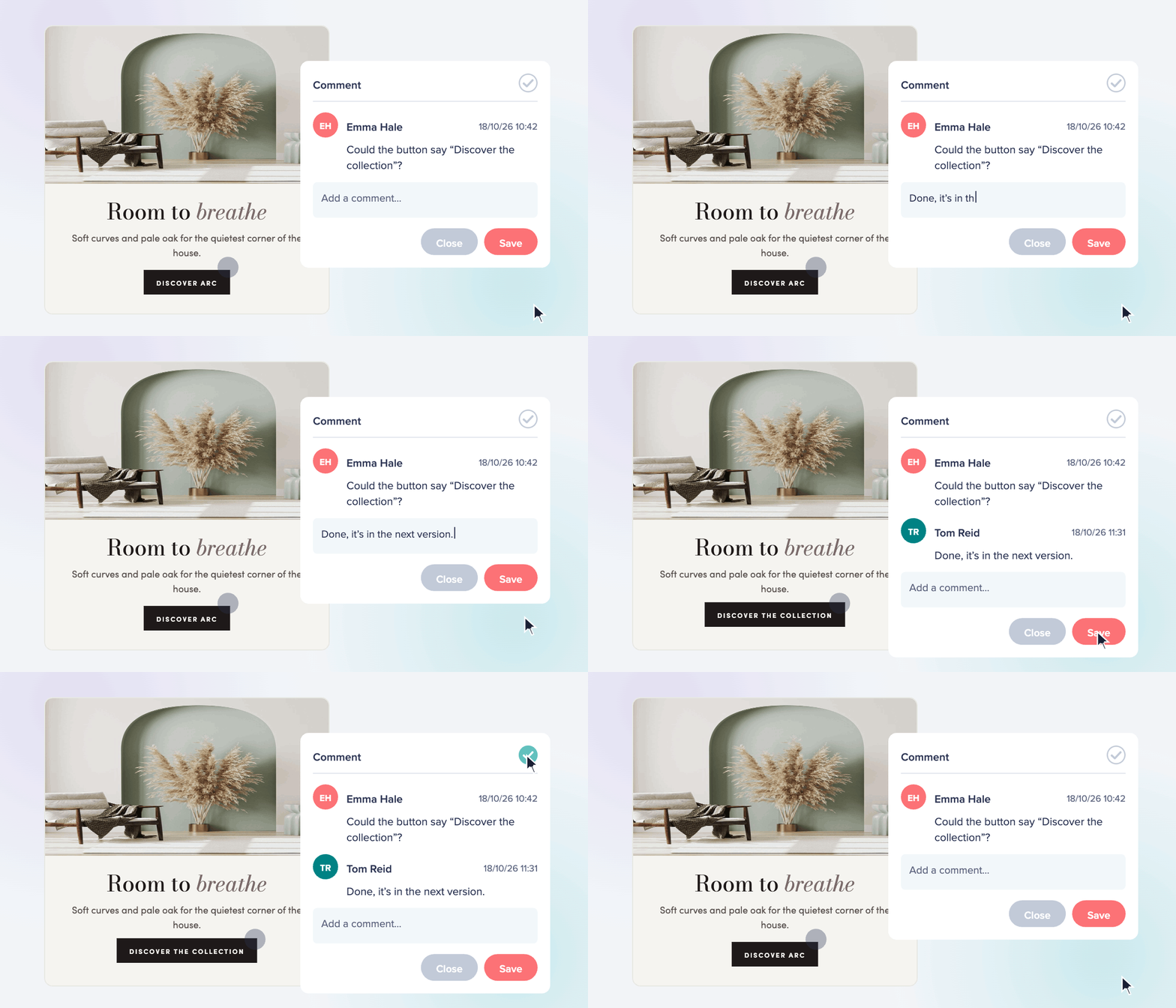
A proof in mailCMS with a comment thread
New

Undo, at last

You asked for it (a lot), so we built it. The platform now supports up to 50 steps of undo and redo in the editor (including Ctrl+Z keyboard shortcuts, fancy).
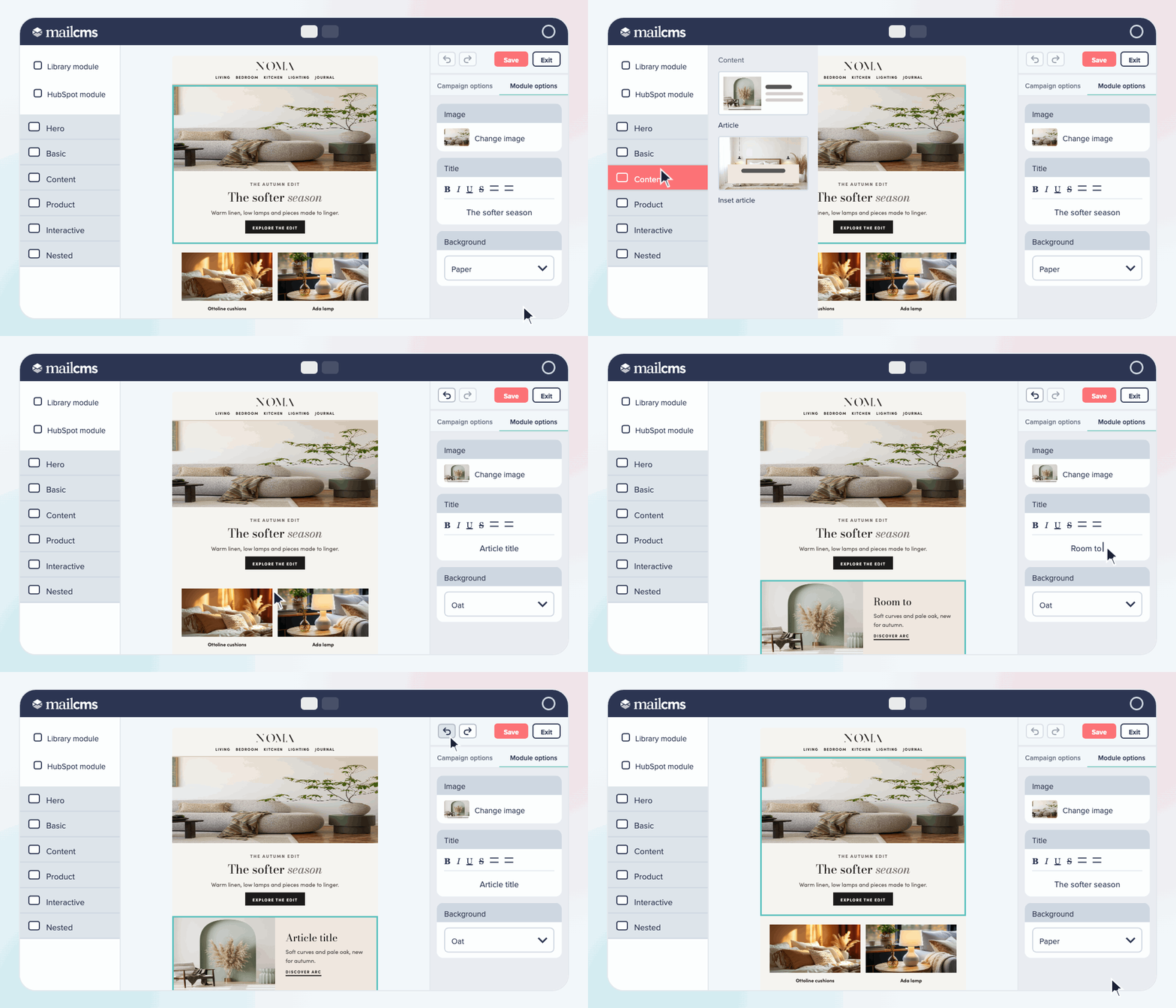
The mailCMS editor: an article is dropped in and titled, then Undo takes both back

Nick HigtonmailCMS

Summer 2026 platform update

Our latest update closes the gap between campaign production and your approval workflow, along with some handy functional enhancements to the editor experience itself.

We work with CRM teams day‑in, day‑out, and that experience informs everything we build in mailCMS. With a refreshed brand and plenty more features in the pipeline, we’re excited to see what 2026 holds, and grateful to have you with us.

New

Create, review and sign-off, all within mailCMS

With proof annotations, we’re bringing the campaign approvals process into mailCMS.

Generate a proof of your draft campaign, invite your team to drop comments, and watch the back‑and‑forth that usually sprawls across email, Slack and screenshots collapse into a single view.

It’s the most significant addition we’ve made to the platform this year, and it’s built around how CRM teams actually work.

Try it now
A campaign proof in mailCMS with comments pinned to the email
Improved

Your modules, exactly where you want them

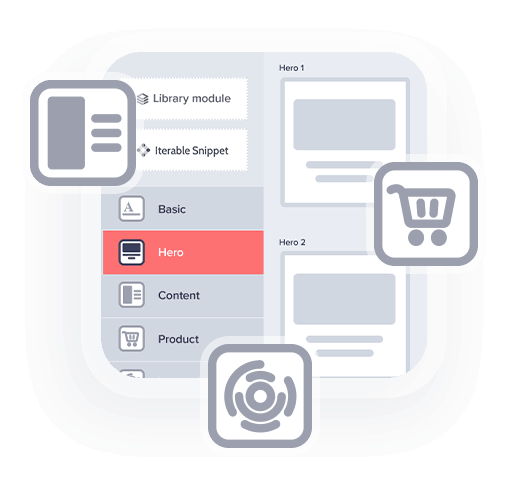
The new sidebar groups your modules by type, so building a campaign is faster and involves a lot less hunting. Categories are bespoke to your design system and ordered by our team, as you’d expect with mailCMS.

Take a look
The mailCMS module sidebar, with modules grouped into categories
Improved

More flexibility, but always on brand

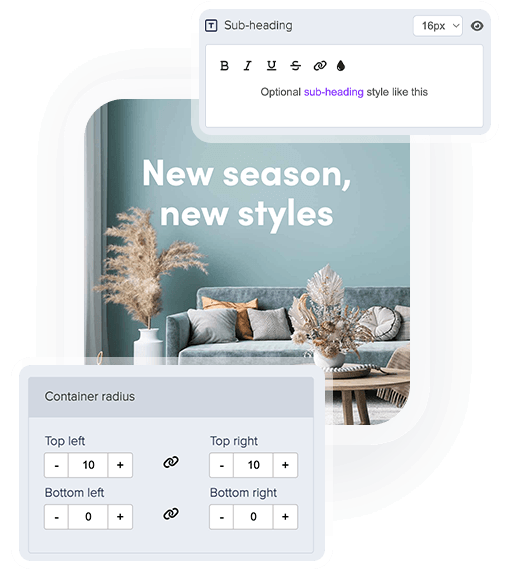
We’ve built more flexibility into the editor: custom bullet styles, accent colours, style variations, adjustable padding and plenty more. Drop us a note if you’d like to see what’s now possible for your design system.

Get in touch
The mailCMS editor showing a sub-heading style and container radius controls over a campaign banner

One more thing before you go

Our (humble) ambition is to create the ultimate content management system for email, informed by what real CRM teams need, so we’d love to know how you’re getting on. What’s working, what’s missing, what you wish the platform did.

If you can spare a moment, send us an email and let us know, or we can set up a quick call to walk through your setup and where it could go next.

The mailCMS Team

See how mailCMS could work for your brand

Book a friendly, no-pressure 30-minute walkthrough. We’ll look at how you build emails today and share practical ideas you can use straight away, whether or not you choose mailCMS.